

Installation manual and usage instructions
Step 1 – connecting the moisture sensor to the hub
1a – Use a Torx T6 screwdriver to remove the two screws on the back of the LEGO® SPIKE™ Prime ultrasonic sensor. Then remove the white part.
1b – Insert the brickobotik shield and screw the Torx T6 screws back in.
1c – Connect the probe to the main part of the shield. Make sure the yellow cable is on the left as shown on the pictures.
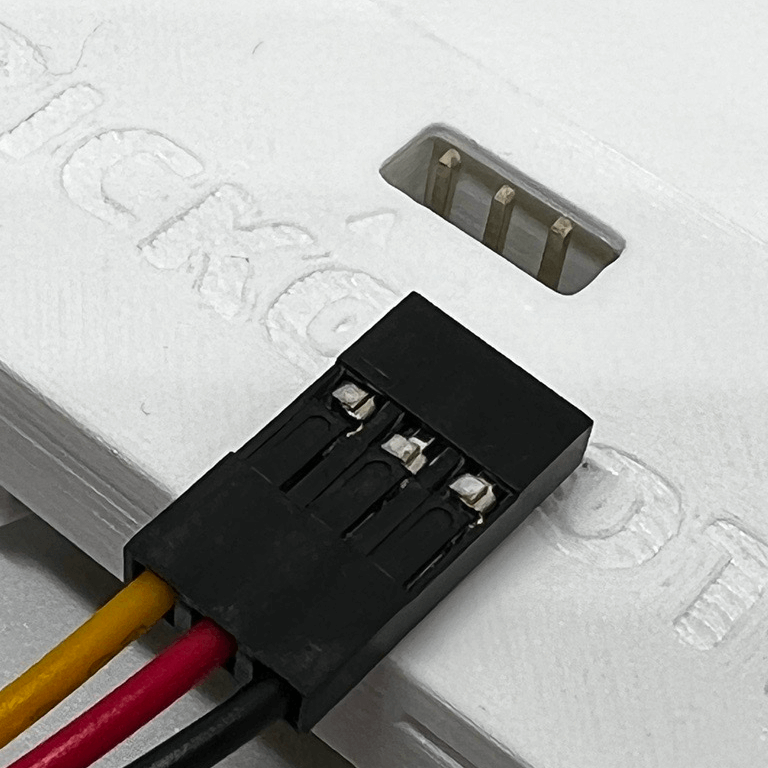
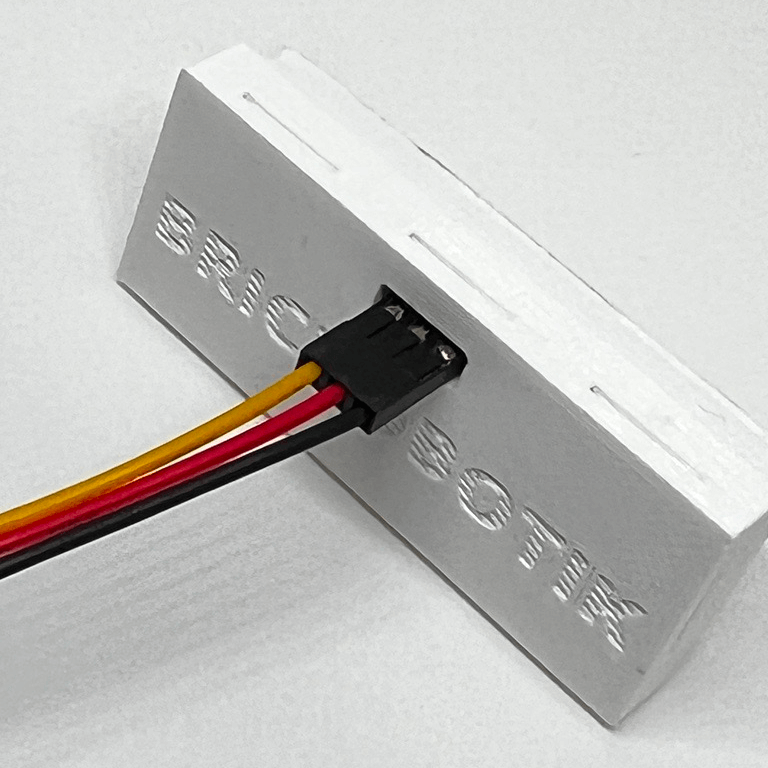
Step 2 – getting the brickobotik library
2a – Open Google Chrome Browser on your PC or Laptop.
2b – Connect the LEGO® SPIKE™ Prime to the USB port of your device.
2c – If the LEGO® Education SPIKE™ application is running on your device, please close it.
2d – Use the brickobotik library tool to download our library onto your hub.
3a – In the LEGO® Education SPIKE™ App use python for writing your program. You can now use all of the capacitive moisture sensor’s features as documented in the API below.
This shield’s source API
brickobotik shield: capacitive moisture sensor
In order to use the moisture sensor you have to initialize it first.
Example:
from brickobotik import MoistureSensor
# initializing the moisture sensor at port A
my_moisture = MoistureSensor(‚A‘)
int get_moisture()
Measures the moisture at the probe and returns a value from 0% to 100%.
Example:
# print the current moisture to the console
print(my_moisture.get_moisture(), ‚%‘)
bool is_wet()
Returns True if the moisture is >= 50%, else False.
Example:
# let the motor run when the robot is wet
while True:
if my_moisture.is_wet():
# do something, for example, start a motor
else:
# do something, for example, stop a motor
wait_for_moisture(moisture)
The program waits until the moisture of the probe reaches or
overshoots the desired value for the first time.
Example:
# wait, for example, until a plant is watered
my_moisture.wait_until_wet()
# wait until the soil is dry
my_moisture.wait_for_moisture(20)
# do something, for example, water a plant again
wait_until_wet()
The program waits until moisture of the probe is at least 50%.
Example:
# wait, for example, until a plant is watered
my_moisture.wait_until_wet()
# wait until the soil is dry
my_moisture.wait_for_moisture(20)
# do something, for example, water a plant again
wait_until_dry()
Similar to wait_until_wet() but waits until the probe is dry.